Skip to content
Home
Business Products
Secure your domain name
Build your own website
AI Website Builder
Managed WordPress Hosting
Business Full Bundle
Build a Reseller Business Online
Business Opportunities
Start an online Business with our Products
Start Your Own Website Design Agency
Become a Freelancer
Become a Virtual Assistant
Sell Your Own Products Online
Member Area
Resources
ALL RESOURCES
MARKETING RESOURCES
ELEMENTOR RESOURCES
WEBSITE RESOURCES
BUSINESS RESOURCES
Networking – Coming Soon
Lifestyle – Coming Soon
Affiliates/Resellers
Affiliates/Resellers Portal
Register as an Affiliate
Affiliate Reset Password
Lost Password
My Account – Subscriptions
Home
Business Products
Secure your domain name
Build your own website
AI Website Builder
Managed WordPress Hosting
Business Full Bundle
Build a Reseller Business Online
Business Opportunities
Start an online Business with our Products
Start Your Own Website Design Agency
Become a Freelancer
Become a Virtual Assistant
Sell Your Own Products Online
Member Area
Resources
ALL RESOURCES
MARKETING RESOURCES
ELEMENTOR RESOURCES
WEBSITE RESOURCES
BUSINESS RESOURCES
Networking – Coming Soon
Lifestyle – Coming Soon
Affiliates/Resellers
Affiliates/Resellers Portal
Register as an Affiliate
Affiliate Reset Password
Lost Password
My Account – Subscriptions
Link Instagram Feed to WordPress
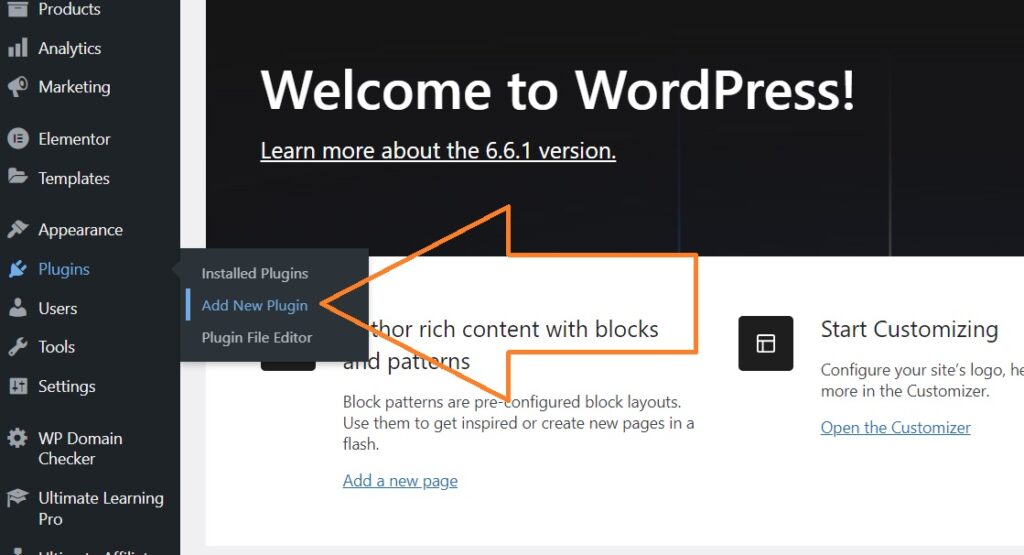
Login to Dashboard and scroll down to "Plugins > Add New"
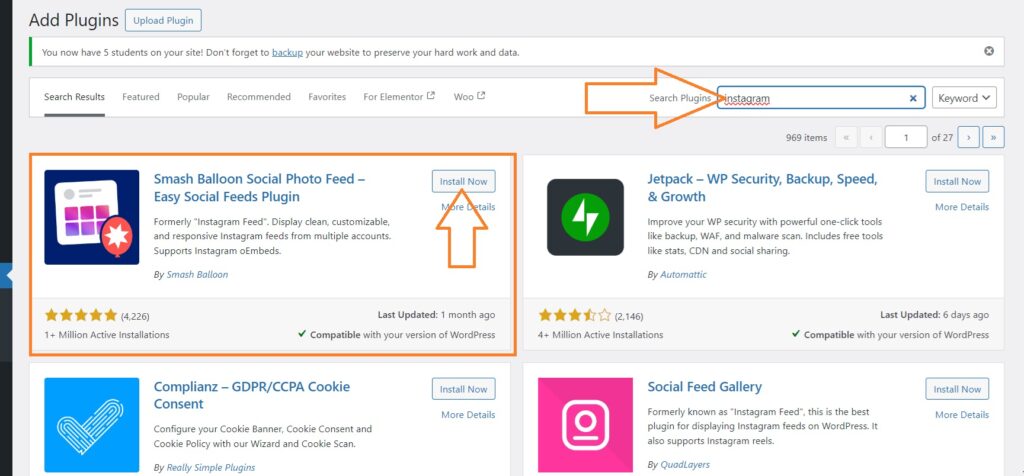
Type "Instagram" in the search bar and then "install now" & "Activate" once installed.
Login to Dashboard and scroll down to "Plugins > Add New"
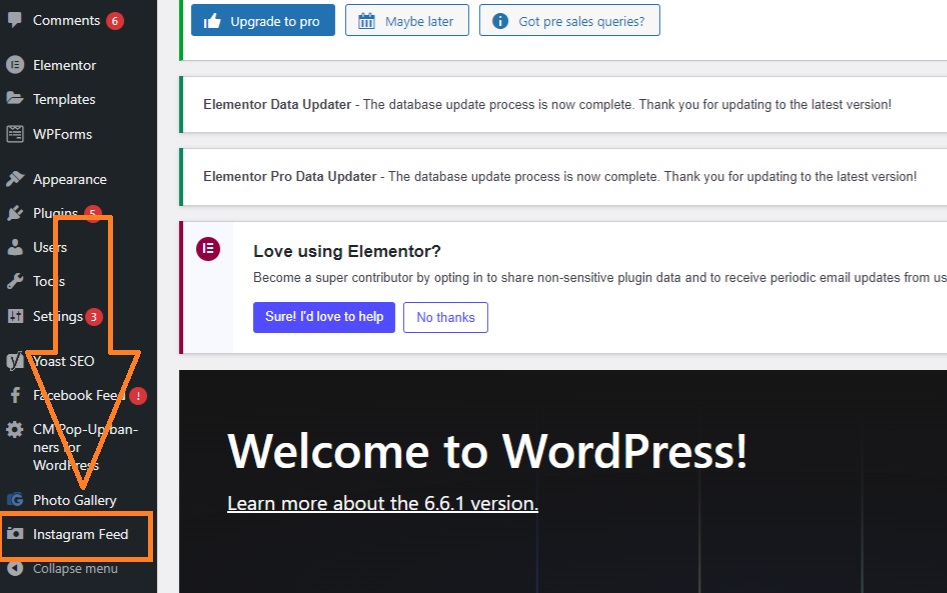
Go to Dashboard and scroll down to "Instagram Feed"
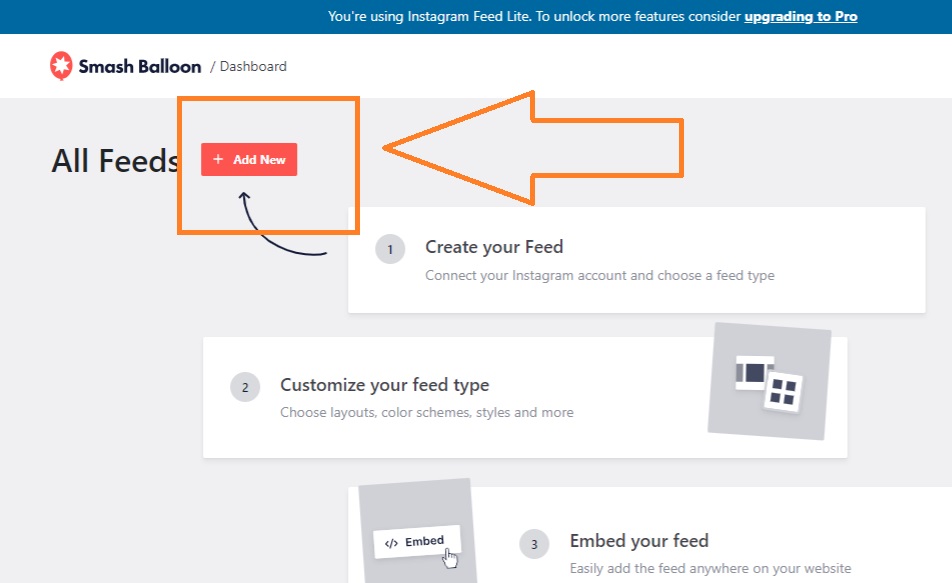
Click on "add New"
Select Feed Type and click Next
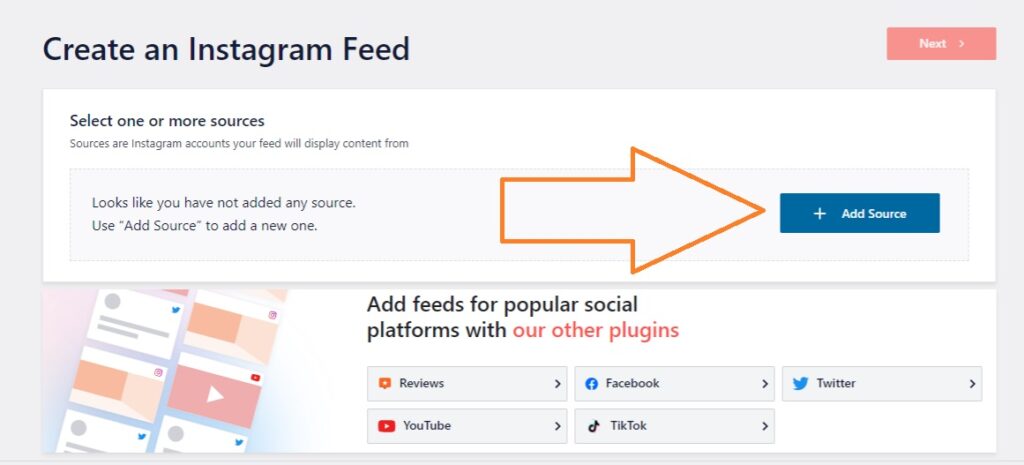
Click on "Add Source"
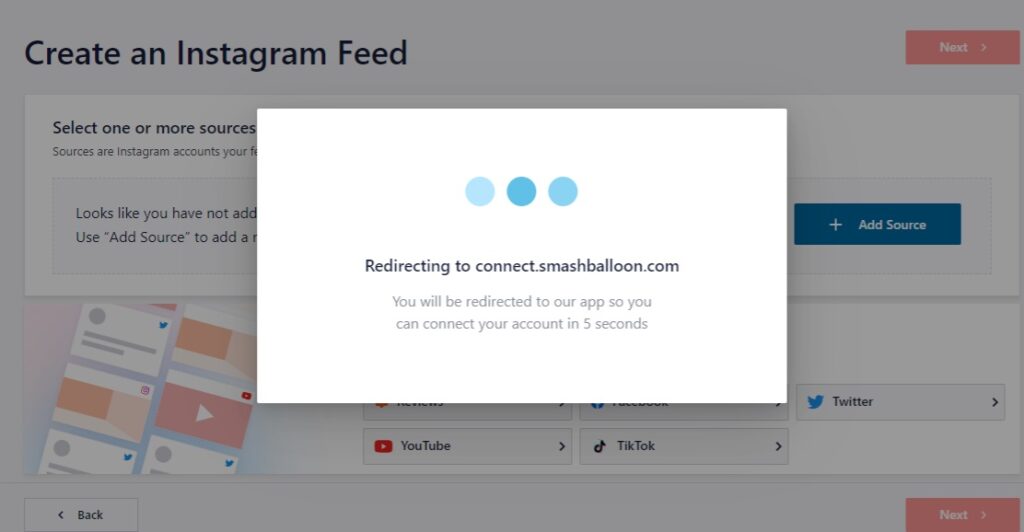
Wait for it to load
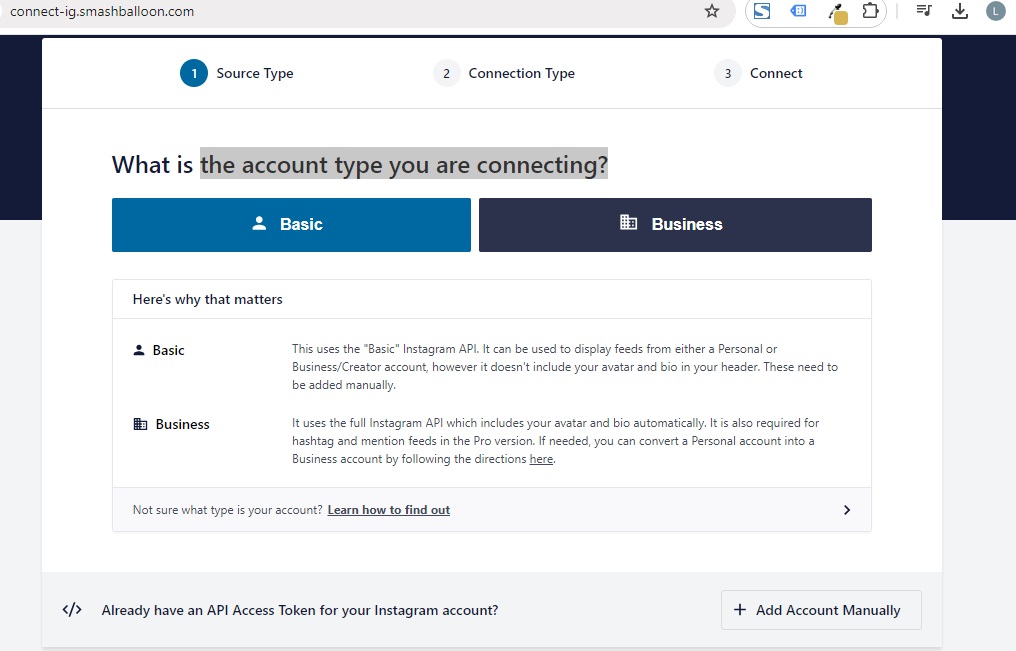
Select the account type you are connecting?
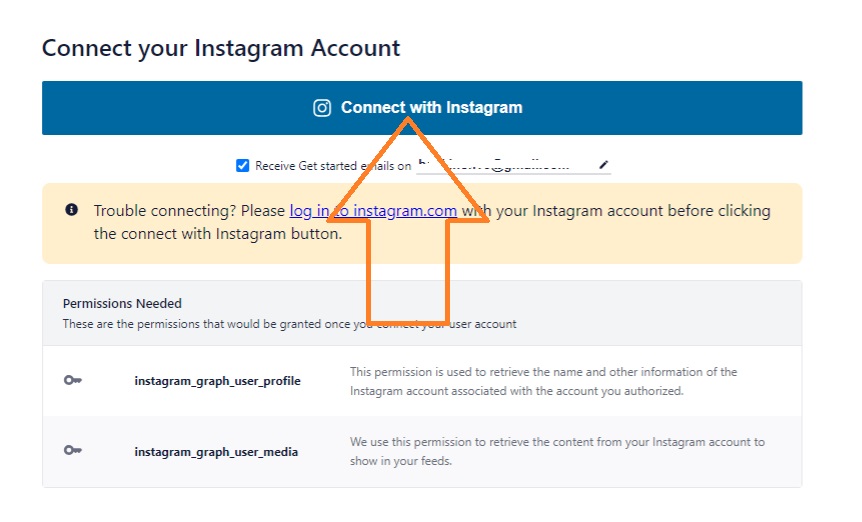
Click "Connect with Instagram"
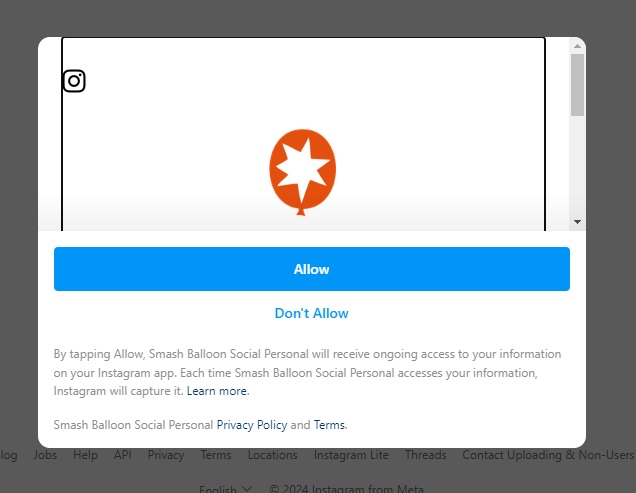
Click "Allow"
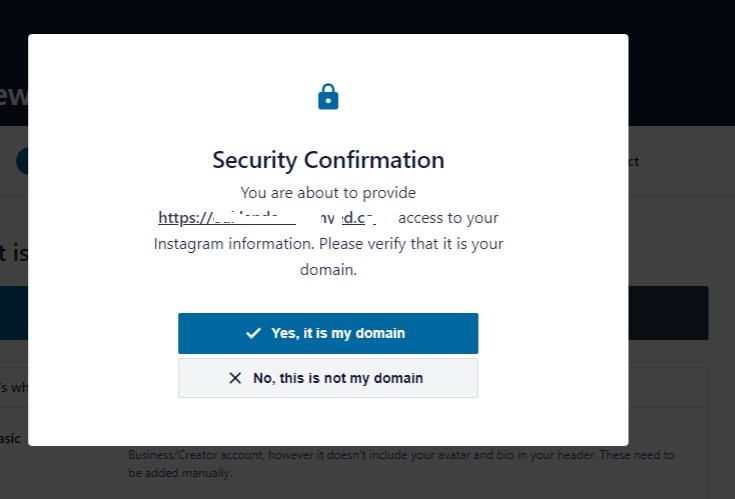
Confirm security
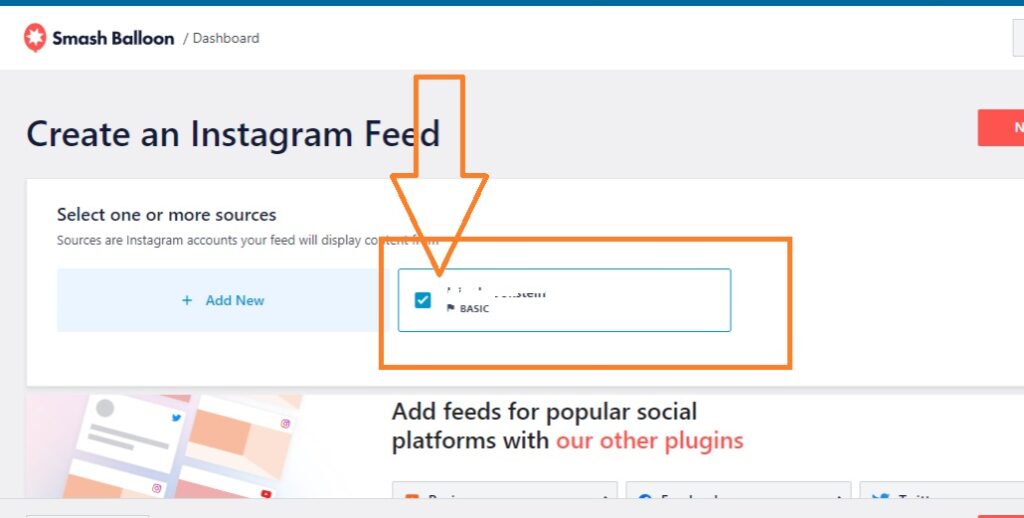
You can now create an Instagram Feed by slecting the newly added account